Graphic Designing Course in Chandigarh

Build a portfolio with real briefs at our Sector 34A, Chandigarh centre. Learn visual fundamentals, branding, Photoshop, Illustrator, CorelDRAW, Figma and motion design through guided projects. Explore AI-assisted ideation and production with responsible review of every final design.

Portfolio-led training • Classroom practice in Chandigarh

Chandigarh classroom training

Turn Your Creativity into a Design Portfolio

Learn Graphic Designing at Excellence Technology, Sector 34A. Compare the syllabus, course duration and project work with our learning advisor.

Course overview

Graphic Designing Training in Chandigarh

Start with typography, colour and composition, then practise branding, image editing, digital layouts and motion graphics. Learn through guided briefs, trainer feedback and portfolio projects.

Classroom + practice

Learn with a trainer and apply each lesson to a design brief.

Portfolio first

Build brand, social, print and motion work you can explain.

Choose your pathway

Regular through Diploma programs offer different tool coverage and depth.

Quick answers

Before You Choose Your Graphic Designing Course

Where are classes held?

SCO 62–63, Second Floor, Sector 34A, Chandigarh 160022.

Who can join?

Students, freshers, career changers, marketers and business owners can start with visual fundamentals.

How long is the course?

Regular: 2–3 months; Premium: 4–5; Platinum: 6–7; Diamond: 8–9; Diploma: 12 months / 48 weeks.

What are the current fees?

Ask the learning advisor for current fees, instalment options and batch availability for your selected program.

Who this course is for

Start at Your Current Skill Level

Students & freshers

Learn the visual basics, practise the tools and build your first portfolio.

Career changers

Follow a structured pathway from creative interest to practical design work.

Marketers & business owners

Create clear brand and campaign assets and collaborate with creative teams.

Course benefits

Build Skills Beyond Software

Design foundations

Typography, hierarchy, colour, composition and visual storytelling.

Practical assignments

Work through briefs, iterations and trainer feedback.

Professional delivery

Prepare digital exports, print-ready files and organised handoffs.

Portfolio guidance

Present your process through case studies and finished assets.

Career preparation

Portfolio, résumé and interview support in Premium, Platinum, Diamond and Diploma.

AI creative practice

Diamond and Diploma include 10 AI tools and a one-month project internship.

Practical learning process

How You Will Learn Graphic Design

01

Understand the brief

Research the audience and define the design goal.

02

Create and practise

Sketch ideas and build assets with guided tool exercises.

03

Review and refine

Use trainer feedback to improve clarity, hierarchy and consistency.

04

Present your portfolio

Export final files and explain your decisions in a case study.

Personalised guidance

Find the Right Program for Your Goals

Discuss your experience, preferred tools and career direction with the Chandigarh team.

Course curriculum

Graphic Designing Course in Chandigarh Syllabus

Tool coverage and depth depend on your chosen program. Ask for the current track-wise lesson plan.

01 · Visual design fundamentals

Creative briefs, research, colour theory, typography, hierarchy, grids, composition and accessible visual choices.

02 · Photoshop & image production

Layers, selections, masking, retouching, compositing, non-destructive editing and digital exports.

03 · Illustrator & CorelDRAW

Vector drawing, logos, icons, brand identity, print layouts, bleed, colour modes and production files.

04 · After Effects & motion graphics

Keyframes, animation principles, typography in motion and short promotional pieces.

05 · Canva & Figma — Platinum onward

Reusable campaign templates, components, wireframes, digital layouts, prototypes and collaborative handoff.

06 · Premiere Pro — Platinum onward

Sequencing, editing, audio, captions and social video exports.

07 · AI tools — Diamond & Diploma

Prompting, moodboards, concept exploration, image refinement and variations, with review for originality, licensing and brand fit. Includes the 10-tool bundle.

08 · Portfolio & professional delivery

Brand identity, social campaigns, packaging and motion briefs; case studies, revisions, presentation and handoff files.

09 · Diploma web design extension

HTML, CSS, Bootstrap, JavaScript, React and WordPress alongside the full graphic design pathway.

10 · Project internship — Diamond & Diploma

One-month project internship to apply the selected pathway to a documented brief.

Tools and technologies

Use the Right Tool for Each Design Brief

PhotoshopIllustratorCorelDRAWAfter EffectsCanvaFigmaPremiere ProAI-assisted workflows

Premium covers Photoshop, CorelDRAW, Illustrator and After Effects. Platinum adds Canva, Figma and Premiere Pro. Diamond and Diploma add the AI bundle.

Creative AI toolbox

AI Tools Behind Modern Design Work

Explore how AI can support ideas, image edits and layout exploration while you keep control of the final design.

Fi

Adobe Firefly

Explore image concepts and use generative editing to develop visual directions.

Ps

Photoshop Generative Fill

Practise adding or replacing image content, then refine edges and composition.

Ca

Canva Magic Studio

Explore AI-assisted campaign layouts and creative variations.

Fg

Figma AI

Explore assisted layout and design workflows alongside the fundamentals.

These are examples of contemporary design tools. Ask the advisor for the exact current 10-tool bundle in Diamond and Diploma; tool access and paid features vary.

For deeper AI concepts, explore our Artificial Intelligence course in Chandigarh.

AI-powered creative practice

Create Faster. Review Every Final Design.

Explore ideas

Develop concepts, moodboards and alternative visual directions against a brief.

Produce variations

Practise assisted image edits, resizing and campaign variations.

Keep creative judgement

Check accuracy, visual quality, licensing, accessibility and brand consistency.

Diamond and Diploma include 10 AI tools and a one-month project internship. Tool availability depends on current access and licensing.

Choose your learning path

Five Graphic Designing Programs

Placement assistance is available in Premium, Platinum, Diamond and Diploma. Employment depends on your skills, portfolio and employer selection.

Premium

4–5 months

  • Photoshop, CorelDRAW and Illustrator
  • After Effects
  • Portfolio and placement assistance
Check Premium Details

Platinum

6–7 months

  • Complete Premium stack
  • Canva, Figma and Premiere Pro
  • Expanded portfolio projects
Check Platinum Details

Diploma

12 months / 48 weeks

  • Full graphics stack
  • HTML, CSS, Bootstrap, JavaScript, React and WordPress
  • 10 AI tools and one-month project internship
Check Diploma Details
Practical portfolio

Graphic Designing Projects You Can Present

Graphic design brand identity concept

Brand identity system

Develop a logo family, typography, colour palette, brand guidelines and launch assets.
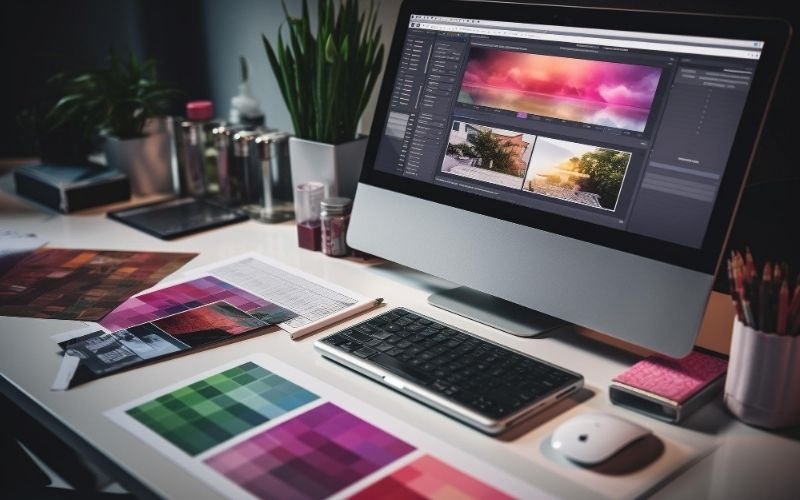
Graphic designing workspace

Social campaign kit

Create posts, stories and promotional assets with reusable templates and a consistent visual system.

Packaging & motion

Prepare print-ready packaging and an animated campaign piece, documenting your brief, iterations and final delivery.

Projects vary by program. Ask to see recent student work during your centre visit.

Try a creative brief

What Would You Design First?

Choose a brief and see the skills you would practise. These are illustrative project ideas, not completed student work.

Build a café brand

Create a moodboard, logo, colour palette, menu and packaging mockup. Practise typography, visual consistency and print preparation.

Launch an Instagram campaign

Design a post, story and short animated creative for one campaign. Practise hierarchy, reusable templates and export formats.

Design a product landing page

Plan a visual layout, typography and responsive screen design. Practise Figma components and clear handoff; Diploma adds web design implementation.

Career directions

Roles Your Portfolio Can Support

Graphic Designer

Create brand, print and communication assets.

Visual Designer

Develop digital campaigns and consistent visual systems.

Motion Designer

Create animated social and promotional content.

Trainer and placement support

Learn with Feedback. Prepare with Confidence.

Trainer guidance

Practise in class, ask questions and receive feedback on your design decisions. Discuss the trainer assigned to your batch with the centre.

Placement assistance

Premium and higher programs include portfolio, résumé and interview preparation and access to relevant opportunities.

Course certification

Complete the required assignments and assessments for the applicable certificate. Confirm the details for your chosen program.

Student milestones

Meet Some of Our Placed Students

A selection from Excellence Technology’s institute-wide placement gallery. These students represent different courses and batches.
Excellence Technology placed student announcement 1Excellence Technology placed student announcement 2Excellence Technology placed student announcement 3Excellence Technology placed student announcement 4

Explore our full placement gallery →

Chandigarh Google review excerpts

What Learners Say

Institute-level feedback excerpts already featured on our website. These reviews do not describe a specific Graphic Designing batch.

S
“knowledgeable and supportive faculty members”
Sonu · Google Review excerpt
A
“very informative, practical, and educational”
Aditya · Google Local Guide excerpt
Inside Excellence Technology

A Glimpse of Our Institute

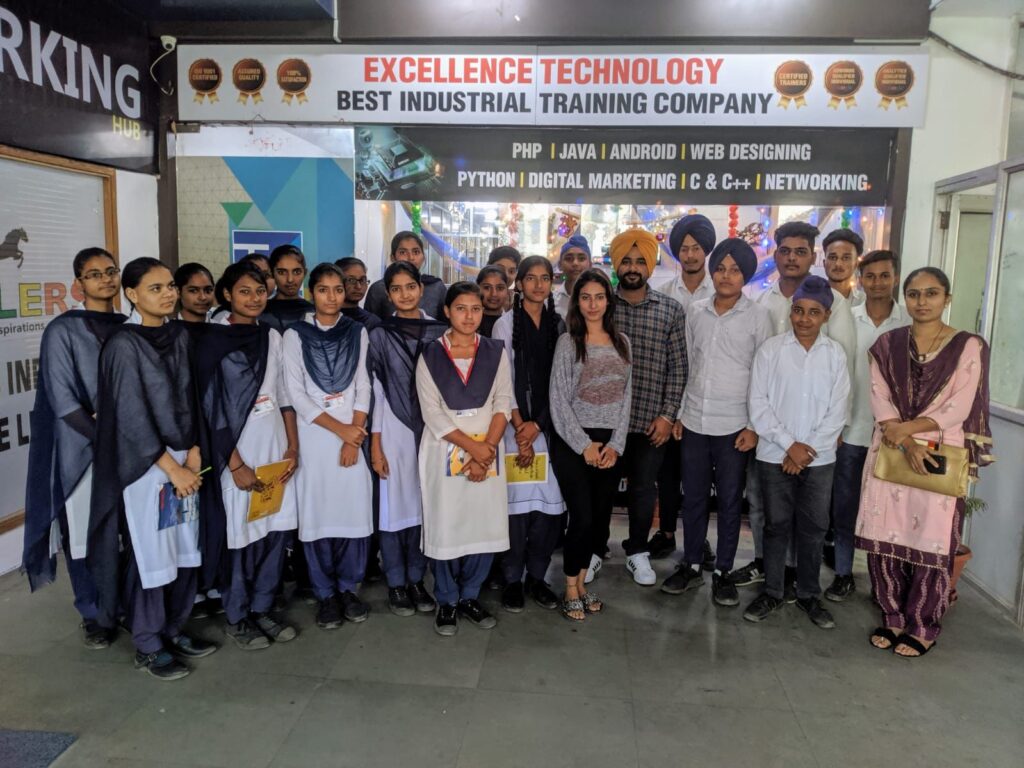
Students and staff at the Excellence Technology institute entrance

Meet the team. See the learning environment.

A moment from an institute student visit, featuring our office entrance and team. Visit the Chandigarh centre to explore the classrooms and discuss your design goals.

Book a Free Centre Visit

Explore the Chandigarh centre →

Classroom training in Chandigarh

Visit Our Sector 34A Centre

Excellence Technology

SCO 62–63, Second Floor, Sector 34A, Chandigarh 160022.

Discuss course level, current batch timings, fees and portfolio projects with our learning advisor.

+91 93177 88822 · +91 93577 88822

Course decisions

Frequently Asked Questions

Do I need drawing skills?

No. Begin with visual judgement, layout and typography. Drawing can support certain projects but is not an entry prerequisite.

Graphic Designing or UI/UX — which should I choose?

Graphic Designing focuses on visual communication, brand, print and campaign assets. UI/UX adds deeper user research, interaction design and usability. Discuss your goal before selecting a pathway.

Photoshop or Illustrator — which comes first?

Photoshop is suited to raster images and compositing; Illustrator to scalable vector artwork. Your pathway connects each tool to appropriate briefs.

Which program includes Figma and video editing?

Platinum adds Canva, Figma and Premiere Pro to Premium. Diamond and Diploma extend this stack.

Is placement guaranteed?

Placement assistance applies to Premium, Platinum, Diamond and Diploma. Jobs and interviews depend on preparation, portfolio and hiring decisions.

Can I compare Chandigarh and Mohali batches?

Yes. Ask the advisor for current classroom availability, schedule and trainer details for each centre.

Ready to take the next step?

Start Your Graphic Designing Journey in Chandigarh

Get current fees, the syllabus and upcoming batch details from our learning advisor.

Connect your creative skills

Where Would You Like to Take Your Design Skills?

Discuss Your Graphic Designing Goals

English Speaking Course In Mohali
Siya Thakur
For queries, feedback & assistance

Online Support

(9AM - 7 PM)

For Admissions & Career Counselling

Request Course Details

    Graphic Designing in Chandigarh: Quick Answers

    Direct answers to common questions before choosing a classroom course.

    What is the best Graphic Designing course in Chandigarh?

    The best Graphic Designing course in Chandigarh should provide instructor-led classroom learning, a current syllabus, practical assignments, portfolio projects and mentor feedback. Excellence Technology offers training at Sector 34A, Chandigarh with flexible batches and career support. Compare the actual modules, trainer access, project depth and current batch format before selecting the program that matches your goal.

    Where can I learn Graphic Designing in Chandigarh?

    You can learn Graphic Designing at Excellence Technology’s Sector 34A, Chandigarh centre through classroom training supported by guided exercises, project work and trainer feedback. Review the syllabus and tools listed on this page, then request a demo class or centre visit to confirm the current schedule, available seats and the program level suited to your experience.

    Who can join a Graphic Designing course?

    Students, graduates, working professionals, career switchers, freelancers and business owners can join the Graphic Designing course. Beginners can start with foundation modules, while experienced learners can focus on advanced tools and portfolio work. The right starting point depends on your current skills, weekly practice time and the type of role or freelance work you want.

    What is the Graphic Designing course duration in Chandigarh?

    Duration depends on the selected program, weekly class frequency and project depth. Shorter plans focus on core skills, while longer programs provide more practice, advanced modules and stronger portfolio development. Ask the learning advisor for the current Chandigarh batch calendar and compare the available three-month, six-month or extended options before enrolling.

    What are the Graphic Designing course fees in Chandigarh?

    Fees vary according to the course level, batch format and included project or internship support. Request the latest written fee structure for the Chandigarh centre, including modules, tools, certifications and payment options. Comparing the complete program value is more useful than choosing only by the lowest advertised fee.

    Compare Graphic Designing Learning Options

    Understand the main differences before selecting your course path and location.

    Graphic Designing vs UI/UX Design: what is the difference?

    Graphic Designing focuses on visual communication for branding, advertising, social media and print. UI/UX Design focuses on how digital products look, behave and guide users through tasks. Choose graphic design for brand and creative-media work; choose UI/UX for websites and apps, or learn both for a broader digital-design portfolio.

    Graphic Designing vs Web Designing: which should I choose?

    Graphic Designing develops visual assets such as logos, posters, advertisements and brand material. Web Designing combines layout, responsive interfaces and technologies used to build websites. Choose graphic design if your strength is visual communication; choose web design if you want to create interactive pages and are comfortable learning basic code.

    Photoshop vs Illustrator: which tool should I learn first?

    Photoshop is strongest for photo editing, image composition and pixel-based artwork. Illustrator is designed for scalable vector graphics such as logos, icons and illustrations. Most professional designers need both. Beginners can start with design principles and Photoshop basics, then add Illustrator to produce clean, scalable brand assets.

    Chandigarh vs Mohali Graphic Designing training: which location is better?

    Choose the centre you can attend consistently: Sector 34A in Chandigarh or Sector 72 in Mohali. The desired learning outcomes remain similar, but active batches and trainer availability may differ. Confirm the current faculty, lab access, demo class and timing at your preferred centre before finalising admission.

    Graphic Designing Syllabus, Projects & Career Support

    Use these details to evaluate the program and prepare for counselling.

    What is included in the Graphic Designing syllabus?

    A practical syllabus should cover design principles, typography, colour, composition, image editing, vector graphics, layout, branding and portfolio presentation. Advanced plans may include motion, UI tools and AI-assisted workflows. Review the detailed syllabus on this page and confirm which advanced modules are included in your selected program.

    Which Graphic Designing tools will I learn?

    The program may include Photoshop, Illustrator, CorelDRAW and related layout or motion tools according to the selected plan. Higher plans may also introduce Canva, Figma, Premiere Pro and responsible AI-assisted workflows. Tool lists can evolve, so focus on design fundamentals and the ability to explain your creative decisions.

    What projects are included in Graphic Designing training?

    Portfolio projects can include logo systems, social-media campaigns, posters, brochures, packaging, brand guidelines and digital advertisements. Strong projects show research, concept development, typography, colour choices and final production. Ask which assignments receive trainer feedback and which finished pieces can be presented in your professional portfolio.

    Is drawing skill required for Graphic Designing?

    Strong hand-drawing ability is not required to begin Graphic Designing. Observation, visual thinking, patience and regular practice are more important. Sketching can help communicate ideas, but software and design principles can be learned step by step. Beginners should focus first on composition, typography, colour and solving clear communication problems.

    Is placement assistance available after the course?

    Placement assistance may include portfolio review, resume guidance, interview preparation, mock interviews and relevant opportunity sharing. It supports the job search but does not guarantee employment. Your results depend on portfolio quality, software skills, design reasoning, communication and consistency, so confirm the support included with your selected program.
    Need current fees, syllabus and the next Chandigarh batch?Request Course Details